









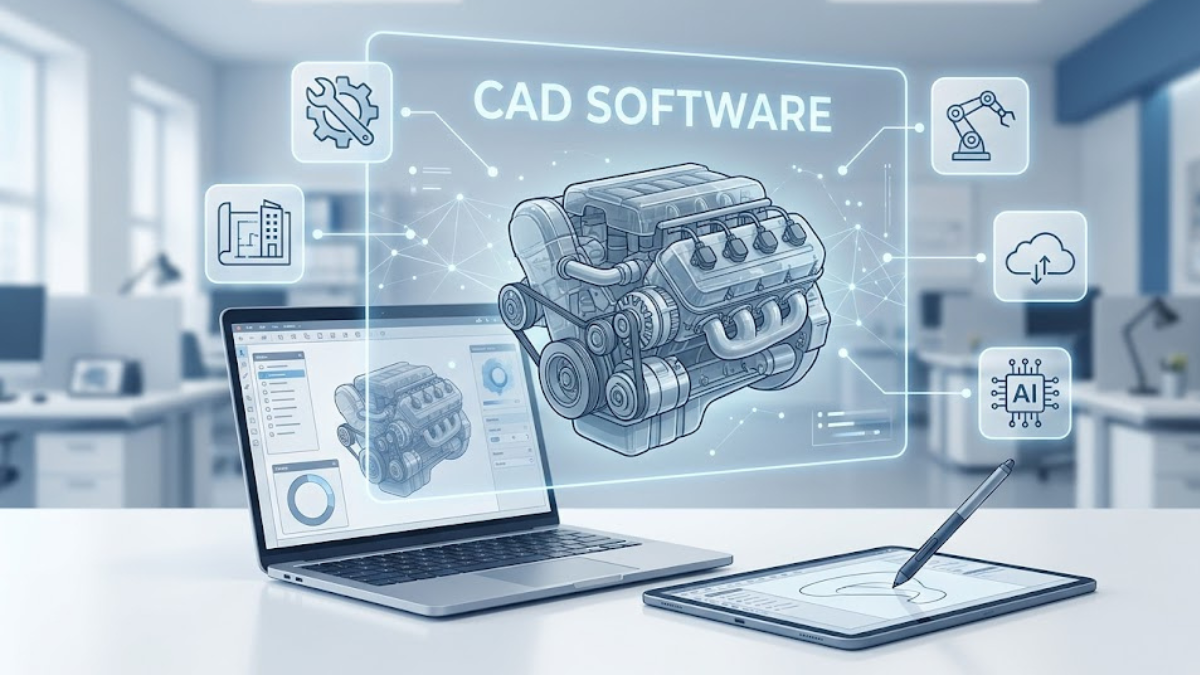
The way we design, engineer, and manufacture the physical world has undergone a massive digital transformation. Decades ago, drafting tables, T-squares, and manual pencils dominated engineering offices. Today, these physical tools have been entirely replaced by a highly sophisticated digital alternative: Computer-Aided Design, universally known as CAD.
also read: https://schedows.com/lyposingrass-2/
At its core, cad software serves as the ultimate digital canvas, allowing engineers, architects, industrial designers, and hobbyists to construct incredibly precise two-dimensional (2D) drawings and complex three-dimensional (3D) models. This digital shift has not only accelerated design timelines but has also completely transformed product lifecycle management, simulation, and manufacturing pipelines. Whether you are a student exploring basic shapes or an aerospace engineer calculating tolerance stack-ups for a jet engine, understanding the mechanics of these digital tools is vital to succeeding in the modern industrial landscape.
1. Demystifying the Core Engine of CAD Software
To truly appreciate the power behind modern design suites, it is essential to understand how these systems process geometry. Traditional hand drafting relies entirely on human accuracy to draw lines that match real-world dimensions. In contrast, modern digital drafting tools rely on robust mathematical kernels to compute geometry dynamically.
When a user draws a circle or extrudes a cylinder in a digital workspace, the application does not just save a flat pixel image. Instead, it records precise mathematical parameters, such as coordinate locations, radius values, and vectors. Because the geometry is driven by calculations, a designer can zoom in infinitely without losing visual clarity or geometric accuracy. This math-driven approach allows for the creation of intricate assemblies containing thousands of individual components, each perfectly constrained to mimic real-world physics.
The Underlying Architecture Components
- The Geometric Modeling Kernel: The foundational mathematical engine (such as Parasolid or ACIS) that computes 3D shapes, handles boolean operations, and generates complex surface topology.
- The Parametric Constraint Manager: A specialized subsystem that tracks relationships between geometric features. If a designer changes the diameter of a bolt hole, this system automatically updates all corresponding parts in the assembly.
- The Rendering Engine: The visual component responsible for translating raw mathematical data into real-time interactive previews, often applying materials, lighting, and shadows for realistic visualization.
2. Categorizing the Architectural Landscape of CAD Software
The world of digital design is vast, and different industries require tailored tools to optimize their specific workflows. Rather than using a single generic program for everything, developers have created specialized software branches designed to excel in distinct commercial environments.
Comparing the Primary Families of Design Software
To see how these setups stack up for varied professional workflows, let us review the exact technical specifications and use cases of the standard software paradigms.
| Software Paradigm | Primary Modeling Method | Best Suited For | Ideal User Base |
| 2D Drafting & Detailing | Coordinate-based vector lines and arcs | Floor plans, electrical schematics, P&IDs | Architects, civil engineers, layout technicians |
| 3D Parametric Modeling | Feature-based history trees with rigid dimensions | Consumer electronics, automotive parts, machinery | Mechanical engineers, product designers |
| Direct & Freeform Modeling | Push-and-pull canvas without strict history constraints | Concept art, ergonomic handles, organic shapes | Industrial designers, digital sculptors, animator-technicians |
| BIM (Building Information Modeling) | Object-oriented architectural elements with data | Smart skyscrapers, HVAC ducting, structural framing | Structural engineers, commercial contractors |
The choice between parametric and direct modeling defines how a team approaches a project. Parametric design is ideal when exact dimensions are non-negotiable and parts must fit together based on strict geometric rules. Direct modeling, on the other hand, provides a more artistic workspace where shapes can be sculpted organically without worrying about breaking a history tree.
3. The Power of Parametric Modeling and the Feature Tree
For mechanical design and product development, parametric modeling stands out as a highly revolutionary methodology. In a parametric system, every single feature—whether it is a sketch, an extrusion, a fillet, or a hole—is recorded in chronological order within a feature history tree.
This history-based approach allows developers to travel back in time to change fundamental design choices. For example, if a smartphone casing is entirely modeled and a late-stage engineering change requires the internal battery compartment to expand by five millimeters, the designer simply edits the very first sketch in the tree. The software then recalculates all subsequent steps automatically, saving hours of manual rework that would otherwise be required.
+-------------------------------------------------------------+
|              PARAMETRIC MODELING STEP WORKFLOW              |
+-------------------------------------------------------------+
|  1. Define 2D Sketch Plane & Draw Profiles with Constraints |
|                             ↓                               |
|  2. Apply Extrude or Revolve Feature to Generate 3D Mass   |
|                             ↓                               |
|  3. Add Secondary Modifiers (Fillets, Chamfers, Shells)     |
|                             ↓                               |
|  4. Establish Assembly Mates to Link Multiple Parts Together |
+-------------------------------------------------------------+
Furthermore, parametric systems rely on design constraints. These constraints can be geometric (such as making two lines perfectly parallel or perpendicular) or dimensional (such as setting an edge to be exactly fifty millimeters long). By combining geometric and dimensional constraints, engineers can create “smart models” that adapt gracefully to changes while keeping their core design intent intact.
4. Unrivaled Integration: From Digital Model to Physical Object
A beautiful digital model is only useful if it can be successfully transformed into a real-world object. Modern cad software serves as the vital foundation for a massive downstream manufacturing ecosystem, acting as the starting point for both additive and subtractive manufacturing.
Core Downstream Pipelines and Applications
- Computer-Aided Manufacturing (CAM): CAM tools read the native 3D geometry from design files to generate precise toolpaths for CNC mills, lathes, and routers. The software calculates exact spindle speeds, feed rates, and cutting depths based directly on the digital model.
- Computer-Aided Engineering (CAE) & FEA: Before manufacturing a single physical part, engineers can run Finite Element Analysis (FEA) directly inside their design environment. This allows them to subject the digital model to simulated structural loads, thermal stresses, and fluid dynamics to identify potential failure points early.
- 3D Printing & Additive Prep: To 3D print a part, the digital model must be exported as a tessellated mesh file (such as an STL or 3MF). Slicing software reads this data to slice the model into thin horizontal layers for production.
- Technical Documentation & Bill of Materials (BOM): Beyond the 3D shape, modern suites automatically generate highly detailed 2D engineering drawings, complete with geometric dimensioning and tolerancing (GD&T). They also compile automated bills of materials to streamline sourcing and assembly.
5. Software Ecosystem Integration: Cloud Collaboration and Data Management
As engineering teams become more globalized, the traditional method of saving file iterations locally (such as part_v1_final_rev2.stl) has become obsolete. Modern engineering platforms have shifted toward cloud-hosted Product Data Management (PDM) environments to handle revision control seamlessly.
These cloud networks act as a single, verified source of truth for entire organizations. When an industrial designer updates an external housing, the change is instantly reflected on the dashboards of the electrical engineers designing the internal PCB, as well as the procurement teams sourcing raw materials. Built-in version control systems ensure that no overwritten files or conflicting designs make it to the factory floor, preventing costly manufacturing mistakes naturally.
6. Embracing the Future: AI and Generative Design
The role of a designer is shifting from drawing shapes manually to defining engineering problems for an AI assistant to solve. Generative design is an advanced capability within cutting-edge cad software where machine learning algorithms generate optimized shapes based on real-world constraints.
      [Input Parameters: Load, Material, Budget]
                         │
                         ▼
 ┌───────────────────────────────────────────────┐
 │       Generative AI Engine Evaluation         │ ◄── Simulates thousands of
 └───────────────────────┬───────────────────────┘     structural permutations
                         │
                         ▼
 ┌───────────────────────────────────────────────┐
 │   Optimized Organic Lattice Model Generation  │ ◄── Minimizes total mass while
 └───────────────────────┬───────────────────────┘     maintaining strength
                         │
                         ▼
             [Finished Production Model]
In a generative design workflow, the engineer inputs basic parameters: the locations where the part must be bolted down, the forces it must withstand, the desired material (such as aluminum or titanium), and the available manufacturing method. The software then evaluates thousands of structural iterations simultaneously, often producing organic, web-like lattice structures that maximize strength while minimizing mass. This approach creates lightweight components that are perfectly optimized for advanced manufacturing methods like 3D metal printing.
Frequently Asked Questions
Q1: What is the difference between CAD and CAM software?
CAD focuses entirely on designing and detailing a digital model, while CAM takes that finished model and generates the mechanical instructions (G-code) required to run automated manufacturing machinery like CNC mills.
Q2: Can I run professional 3D design software on a standard consumer laptop?
While basic 2D sketching programs run fine on standard hardware, complex 3D parametric modeling and rendering require a workstation with a dedicated graphics card (GPU), a high-performance multi-core CPU, and ample RAM to manage large assemblies smoothly.
Q3: What does “history-free modeling” actually mean?
History-free modeling, or direct modeling, allows users to modify geometry by clicking and dragging faces directly, without the software tracking a chronological list of prior design steps or enforcing rigid parametric rules.
Q4: Why do design programs still use 2D drawings if 3D models are so advanced?
2D engineering drawings remain a global legal and manufacturing standard because they clearly convey critical quality metrics like surface finish requirements, geometric tolerances, and inspection notes that can be difficult to interpret from a raw 3D mesh.
Q5: What is a STEP file, and why is it so widely used?
A STEP file (.stp) is a universal, neutral file format supported by almost all engineering applications. It allows different programs to share precise 3D geometric data without losing structural fidelity or scaling metadata.
Q6: Is cloud-based design software secure enough for sensitive corporate intellectual property?
Yes. Modern cloud design platforms protect data using enterprise-grade encryption, multi-factor authentication, and strict role-based access permissions that often exceed the security capabilities of local corporate servers.
Q7: How does anti-aliasing improve the visual quality of a design workspace?
Anti-aliasing blends the edges of vector lines on your screen to smooth out jagged, pixelated steps, reducing eye strain and making it much easier to evaluate fine details during long drafting sessions.
Q8: What exactly is a “mate” or “constraint” in a 3D assembly?
A mate or constraint is a logical rule that locks two separate parts together in 3D space. Common examples include making two faces perfectly flush, concentric, or tangent to mimic how real parts interact mechanically.
Q9: Can I use mesh files from animation programs directly in mechanical design software?
While you can import mesh formats like OBJ or STL, they are difficult to modify in parametric design software because they consist of flat polygonal triangles rather than smooth, mathematically defined solid surfaces.
Q10: What is Building Information Modeling (BIM), and how does it relate to standard drafting?
BIM is a specialized evolution of design software tailored for construction. Instead of drawing simple geometric lines, users place smart objects—like a window or an I-beam—that contain embedded data about material costs, thermal ratings, and maintenance schedules.
Conclusion
The evolution of modern design software has fundamentally altered how we bring physical concepts to life. By combining highly accurate mathematical kernels, flexible parametric workflows, and automated simulation tools, these digital platforms have become indispensable assets across manufacturing, engineering, and architecture. As cloud collaboration, advanced automation, and AI-driven generative design continue to grow, the capabilities of cad software will expand even further. This continuous innovation ensures that creators have the tools they need to tackle the world’s most complex engineering challenges smoothly, efficiently, and with absolute confidence as well!


