


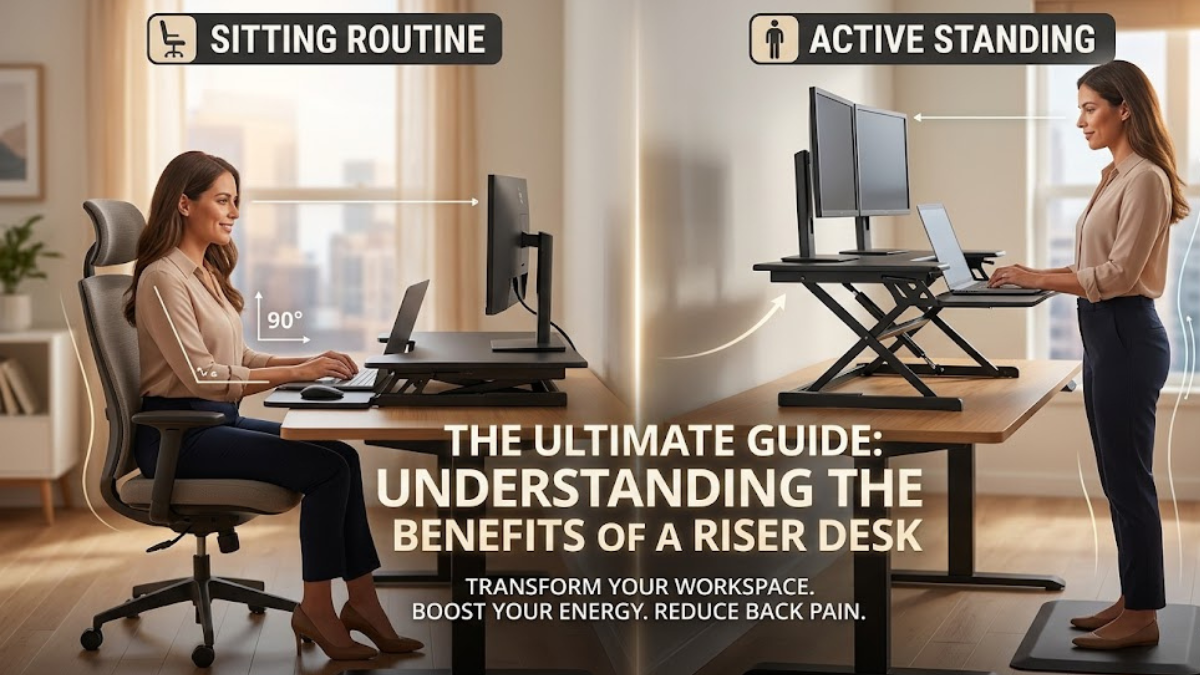
The modern working world has undergone a massive transformation over the last few years. With millions of professionals shifting to remote setups, hybrid schedules, or spending long hours anchored to office cubicles, how we interact with our workspaces has become more critical than ever. For decades, the standard office routine involved sitting in a traditional chair for eight to ten hours a day. However, health professionals and ergonomic experts consistently warn that prolonged sitting can lead to a variety of physical ailments, including chronic back pain, poor circulation, and metabolic sluggishness.
also read: https://schedows.com/foenegriek/
As people look for practical ways to build healthier, more active work routines, ergonomic office furniture has grown massively in popularity. Among the various solutions available today, one specific tool has stood out as a game-changer for professionals everywhere. If you have been looking for ways to improve your daily comfort and energy levels, you have likely run across this concept and wondered: what is a riser desk and how exactly does it transform a standard workspace? This comprehensive guide breaks down everything you need to know about these dynamic office setups.
Defining the Riser Desk: What Is It?
To truly answer the question of what is a riser desk, we need to look at its core design and function. A riser desk—often referred to universally as a standing desk converter, desktop riser, or adjustable desk topper—is a specialized ergonomic device designed to sit directly on top of an existing, traditional flat desk surface. It features a built-in mechanical or gas-spring lifting system that allows users to seamlessly raise or lower their entire work setup, including monitors, keyboards, mice, and document trays.
The primary purpose of a desktop riser is to give users the freedom to alternate between sitting and standing throughout the workday without needing to discard their existing furniture. It provides an adjustable secondary platform that can move vertically, transitioning smoothy from a flat profile to an elevated standing position in just a few seconds. This simple piece of engineering effectively turns any standard table into a fully functional sit-stand workstation.
The Core Features and Types of Riser Desks
When exploring the market for an ergonomic upgrade, it quickly becomes clear that these devices are not all built the same way. Manufacturers design them with various mechanisms and layouts to accommodate different office spaces and equipment configurations.
1. Manual and Gas-Spring Desktop Converters
Gas-spring converters are among the most common and popular choices for modern offices. They utilize a counterbalancing pneumatic gas lift system, similar to the mechanism found in office chairs or car trunks. To adjust the height, the user simply squeezes a small brake lever located on the side of the unit and guides the platform upward or downward. The gas pistons do almost all of the heavy lifting, making the transition incredibly smooth and requiring very little physical effort.
2. Electric and Motorized Risers
For those who want maximum convenience or have exceptionally heavy computer setups, electric risers are an ideal choice. These units plug directly into a standard wall outlet and feature a small motorized lifting mechanism. With the simple press of a button, the entire desktop elevates or descends automatically. Some premium electric models even include digital memory keypads, allowing you to save your exact preferred sitting and standing heights for quick adjustments.
3. Z-Lift vs. X-Lift Structural Frameworks
The physical frame of a riser desk generally moves using one of two geometric configurations:
- The X-Lift Design: This structural style moves straight up and down on a vertical axis, resembling the letter ‘X’ from the side. Because it lifts completely vertically without shifting forward, it has a exceptionally compact footprint, making it perfect for shallow cubicles or tight home office corners.
- The Z-Lift Design: This configuration expands outward and slightly forward as it rises, forming a ‘Z’ shape. While it requires a bit more clearance space in front of the desk, many users prefer it because it brings the monitor and keyboard slightly closer to them while they stand, offering an incredibly stable typing platform.
Why Workspace Ergonomics and Movement Matter
Investing in adjustable office furniture is about much more than just following modern office design trends; it is a fundamental investment in your long-term physical health. Human bodies are biologically designed to move throughout the day, rather than remaining locked in a single static posture for hours on end.
When an individual sits continuously for a long period, the large muscle groups in the legs go completely idle, which can slow down the body’s metabolic rate and reduce overall blood circulation. Alternating your posture by standing up for 15 to 30 minutes out of every hour helps re-engage core muscles, stimulates healthy blood flow, and takes immense pressure off the lumbar spine. Incorporating a dynamic tool into your workspace makes these healthy postural transitions incredibly easy to perform without disrupting your concentration or workflow.
Side-by-Side Comparison: Traditional Desks vs. Full Standing Desks vs. Riser Desks
To help you decide which setup aligns best with your specific budget, space availability, and lifestyle needs, it is highly useful to compare the primary office desk configurations side by side.
| Feature & Considerations | Standard Flat Desk | Full Motorized Standing Desk | Desktop Riser Converter |
| Workspace Mobility | Strictly sitting posture only | Fully adjustable from top to bottom | Converts existing surface into sit-stand |
| Initial Financial Cost | Budget-friendly to moderate | High financial investment | Economical to mid-range investment |
| Installation Effort | Simple assembly required | Complex, heavy assembly required | Often comes 100% pre-assembled |
| Office Space Footprint | Fixed, permanent footprint | Requires completely clear wall space | Sits cleanly on top of current furniture |
| Portability & Reusability | Difficult to move around | Extremely heavy to transport | Easily moved to a different table or room |
| Equipment Weight Capacity | High structural capacity | Variable depending on the motor | Best for standard laptop & dual monitors |
Major Health and Productivity Benefits of a Riser Desk
Integrating regular standing intervals into your standard office routine provides several verified advantages that can improve both your well-being and your professional performance.
Relief from Chronic Back and Neck Discomfort
Slouching over a flat computer desk for hours places immense structural strain on the neck muscles and the lower back. By elevating your workstation with a riser, you can align your display directly at eye level. This prevents you from constantly looking downward, which drastically reduces muscle fatigue in the shoulders and relieves tension along the spine.
Increased Daily Energy and Metabolic Stimulation
Standing up naturally encourages small, subconscious physical movements, such as shifting your weight from leg to leg or gently stretching. These minor movements keep your circulatory system active, which can help prevent the common mid-afternoon energy crash. Many professionals report feeling noticeably more alert, focused, and productive when they alternate between sitting and standing throughout the day.
Practical Tips for Setting Up Your Adjustable Workstation
To get the absolute best results out of your ergonomic upgrade, keep these straightforward setup tips in mind:
- Keep Elbows at a 90-Degree Angle: When standing or sitting, adjust your keyboard tray height so your forearms rest completely parallel to the floor and your wrists remain straight while typing.
- Position the Screen at Eye Level: The top third of your computer monitor should align directly with your horizontal line of sight to prevent neck strain.
- Incorporate an Anti-Fatigue Mat: Standing on hard flooring for long periods can cause minor soreness in your feet and knees. Placing a cushioned ergonomic mat beneath your feet makes standing incredibly comfortable.
- Transition to Standing Gradually: Avoid trying to stand for your entire eight-hour shift right away. Start with short 15-minute standing blocks and slowly increase the time as your body adjusts.
Frequently Asked Questions
1. Can a riser desk support heavy dual-monitor configurations?
Yes, most mid-range and premium models are constructed with sturdy steel frames that can easily support between 30 to 45 pounds, which is more than enough capacity for two standard 27-inch monitors.
2. Do I need to drill holes into my existing furniture to install a converter?
Not at all. The vast majority of desktop risers feature a weighted, padded base that sits completely flat on top of your current desk without requiring any permanent screws, clamps, or drilling.
3. How much vertical space do these units typically add when raised?
Most standard converters can adjust anywhere from their lowest flat position up to roughly 15 to 20 inches above the tabletop, comfortably accommodating users up to 6’4″ tall.
4. Are desktop risers stable enough to prevent monitor shaking while typing?
High-quality risers engineered with heavy steel frames and gas-spring assists are incredibly stable and experience minimal to no shaking during normal typing or mouse movements.
5. Can I use a desktop converter if I work primarily on a laptop?
Absolutely. Many converters feature wide upper platforms that are perfect for holding a laptop alongside a secondary monitor, notebook, or morning coffee mug.
6. What is the difference between a single-tier and a dual-tier riser?
A single-tier model features one flat surface for all your gear, while a dual-tier model includes an elevated upper shelf for your screens and a separate, lower tray specifically designed to keep your keyboard and mouse at an ergonomic typing height.
7. Will using an adjustable topper scratch or damage my wooden desk surface?
No, reputable manufacturers place thick rubber or foam protective pads on the bottom of the base plate to prevent slipping and protect your furniture from scuffs or scratches.
8. How often should I alternate between sitting and standing?
A widely recommended ergonomic baseline is the 20-8-2 rule: for every half hour of work, spend 20 minutes sitting, 8 minutes standing, and 2 minutes walking or stretching.
9. Are there any assembly steps required when unboxing a new converter?
Many popular manual and gas-spring units arrive completely pre-assembled right out of the box, requiring you to only attach the removable keyboard tray using a few simple screws.
10. Are electric converters significantly louder than manual gas-spring models?
Modern electric risers use quiet, whisper-grade internal motors. While they do make a very soft humming sound while moving, it is quiet enough to use in a calm office without distracting your coworkers.
Conclusion
Finding the perfect balance between comfort and productivity doesn’t require a complete office renovation or spending thousands on specialized furniture. Understanding exactly what is a riser desk allows you to see how easy it is to upgrade your current workspace into a dynamic, body-friendly environment. By blending the structure of your existing desk with the flexibility of a smooth lifting mechanism, a desktop converter provides a practical, affordable, and highly effective path toward a healthier, more energetic workday.

